Content Management Template
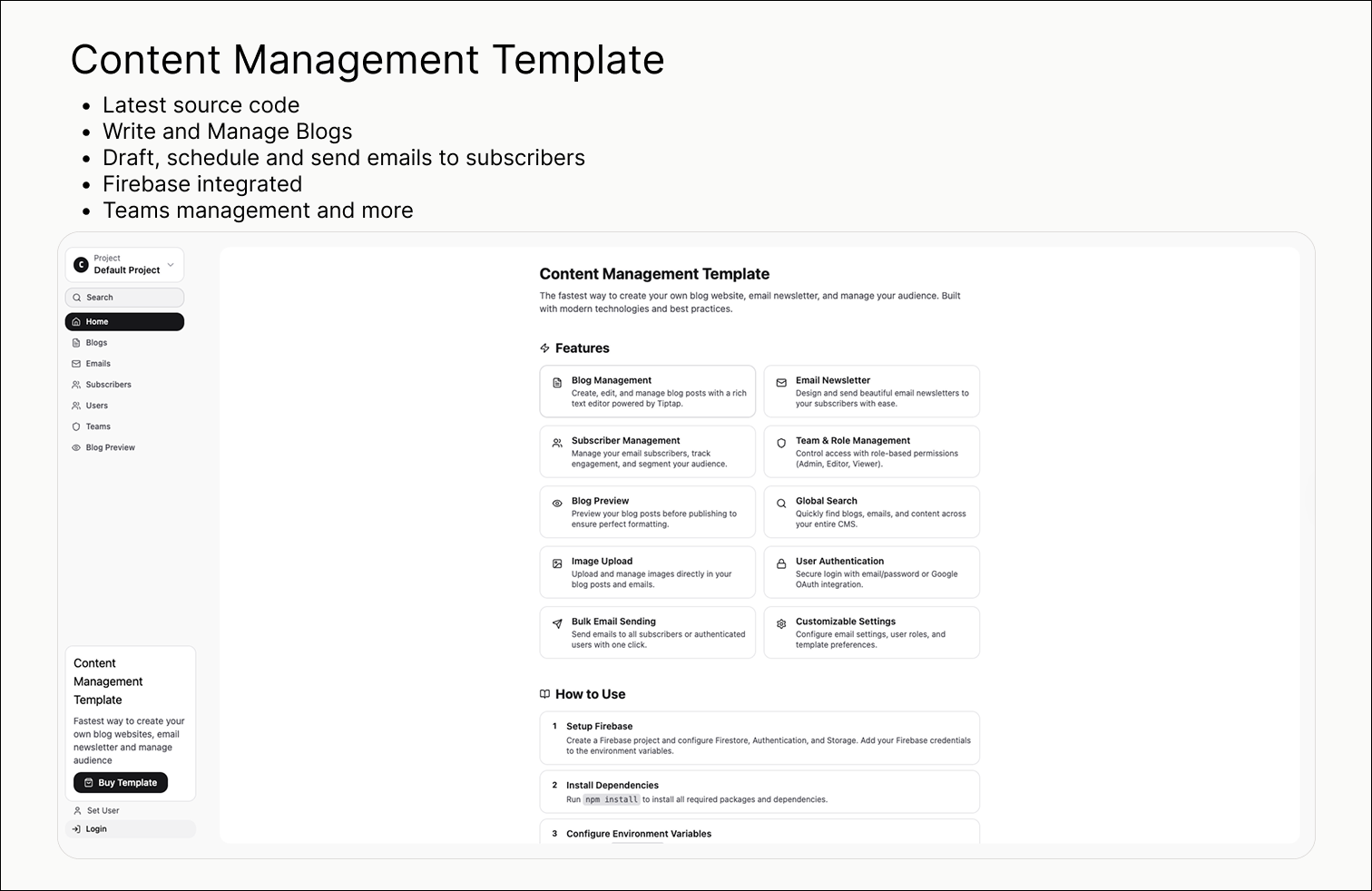
The fastest way to create your own blog website, email newsletter, and manage your audience. Built with modern technologies and best practices.
Preview
Features
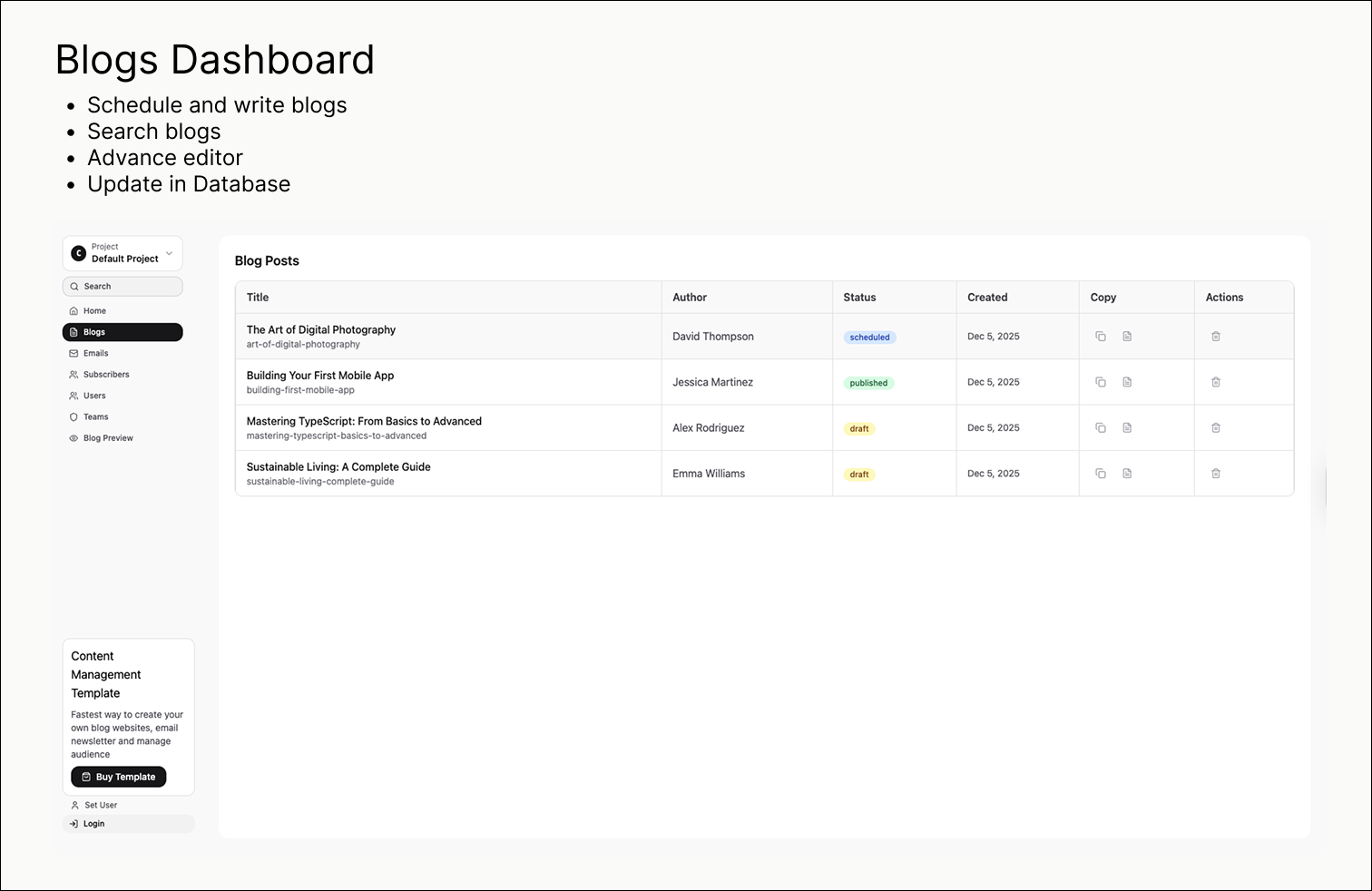
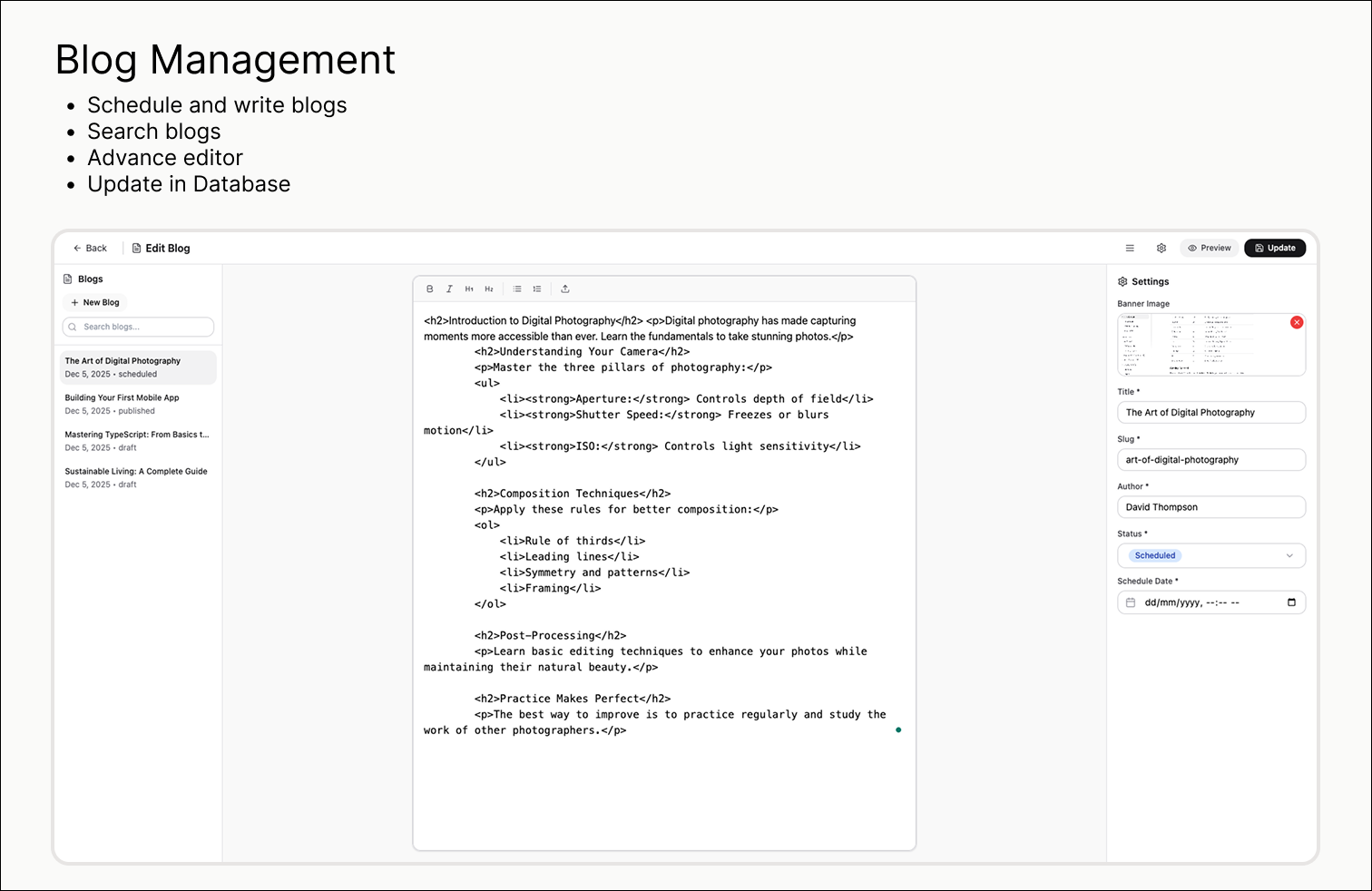
Blog Management
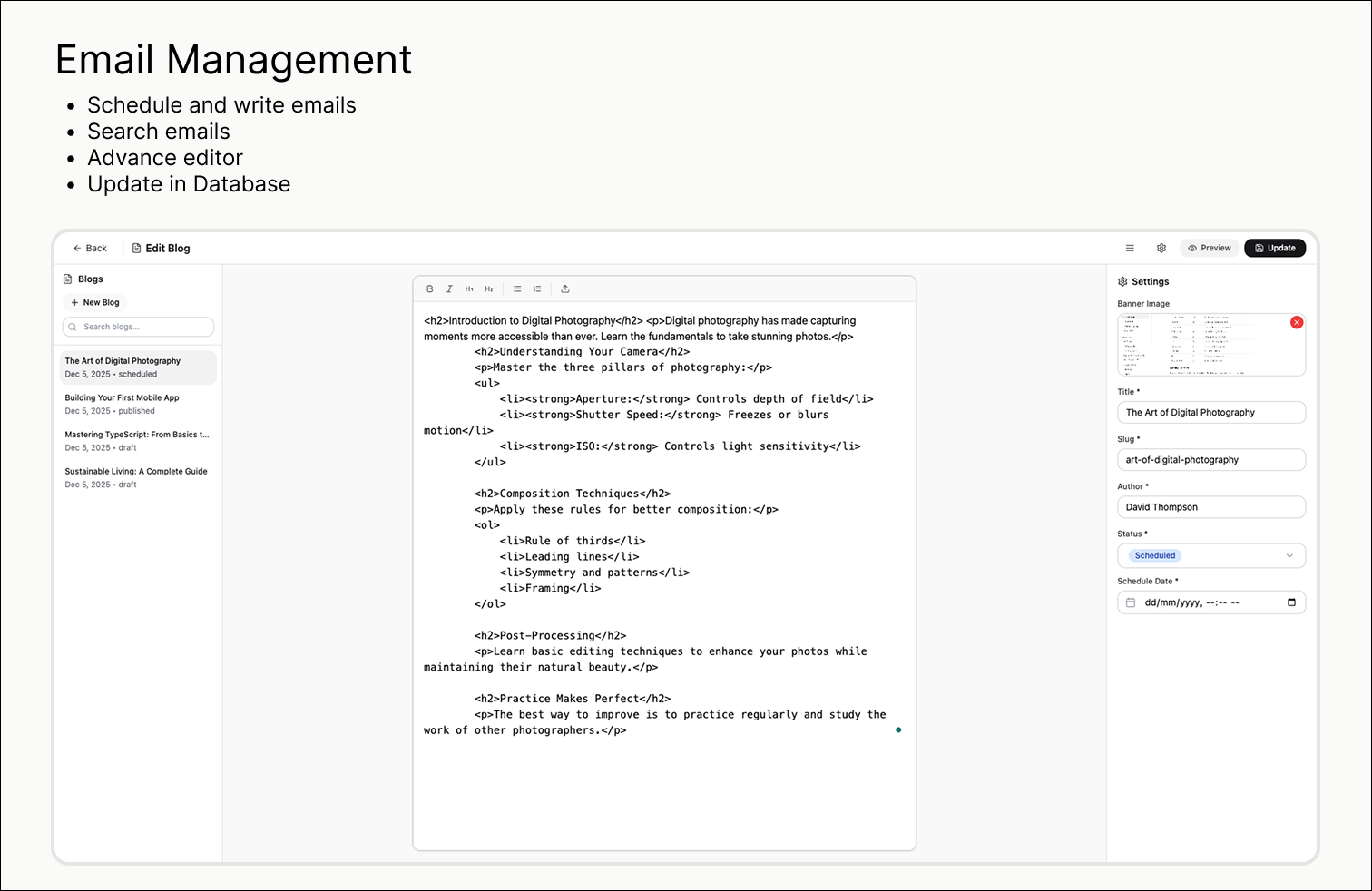
Create, edit, and manage blog posts with a rich text editor powered by Tiptap.
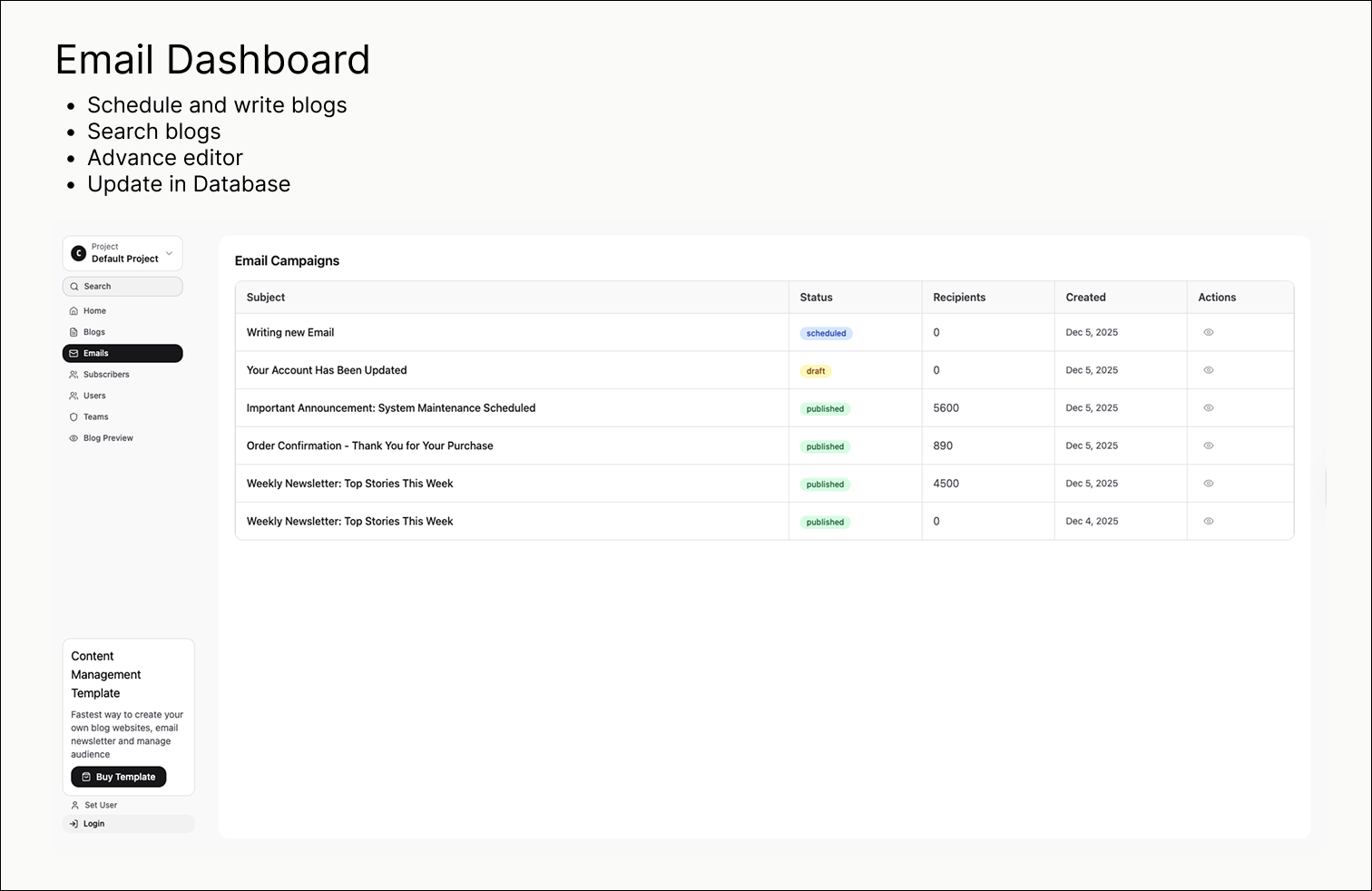
Email Newsletter
Design and send beautiful email newsletters to your subscribers with ease.
Subscriber Management
Manage your email subscribers, track engagement, and segment your audience.
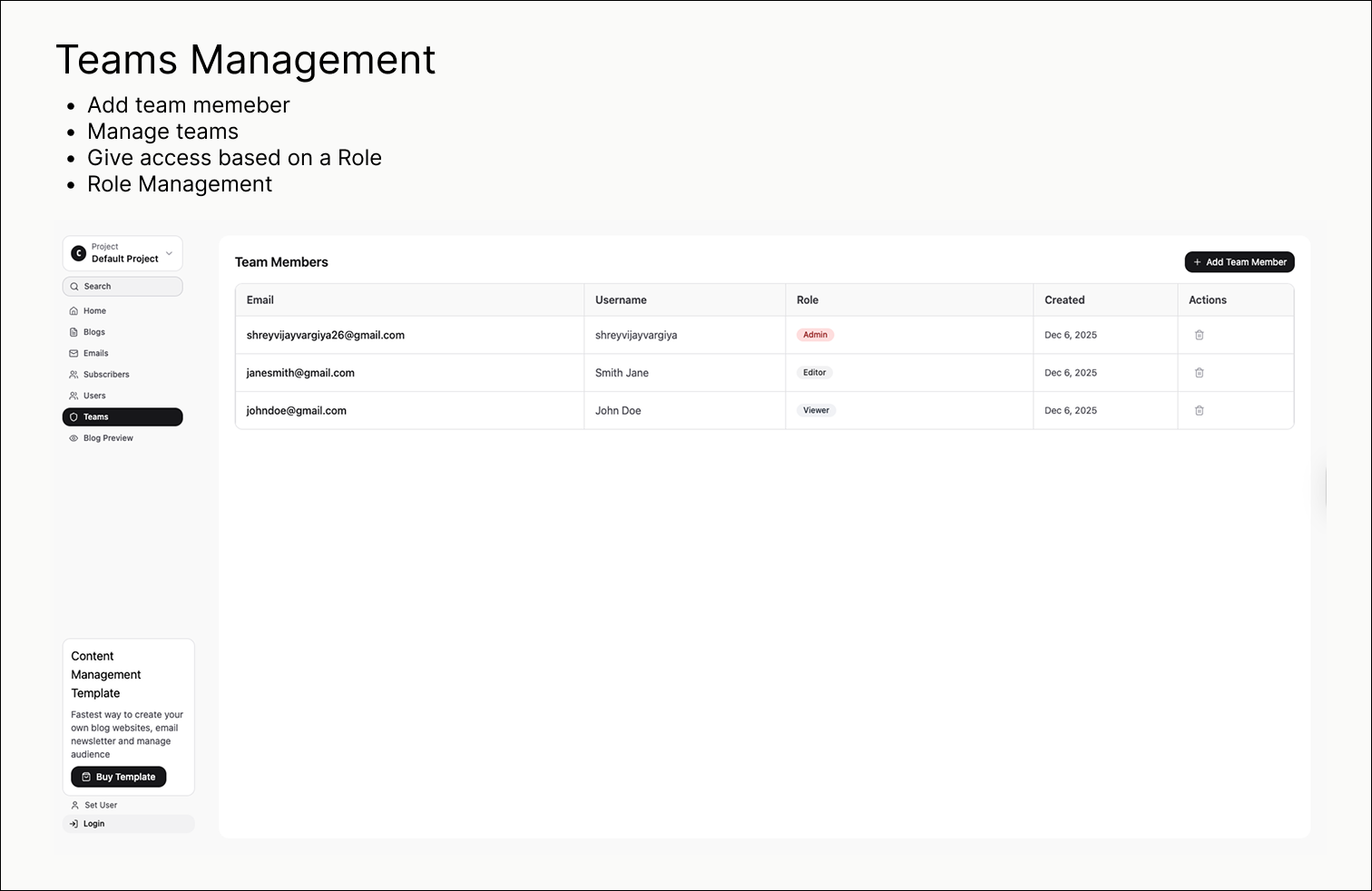
Team & Role Management
Control access with role-based permissions (Admin, Editor, Viewer).
Blog Preview
Preview your blog posts before publishing to ensure perfect formatting.
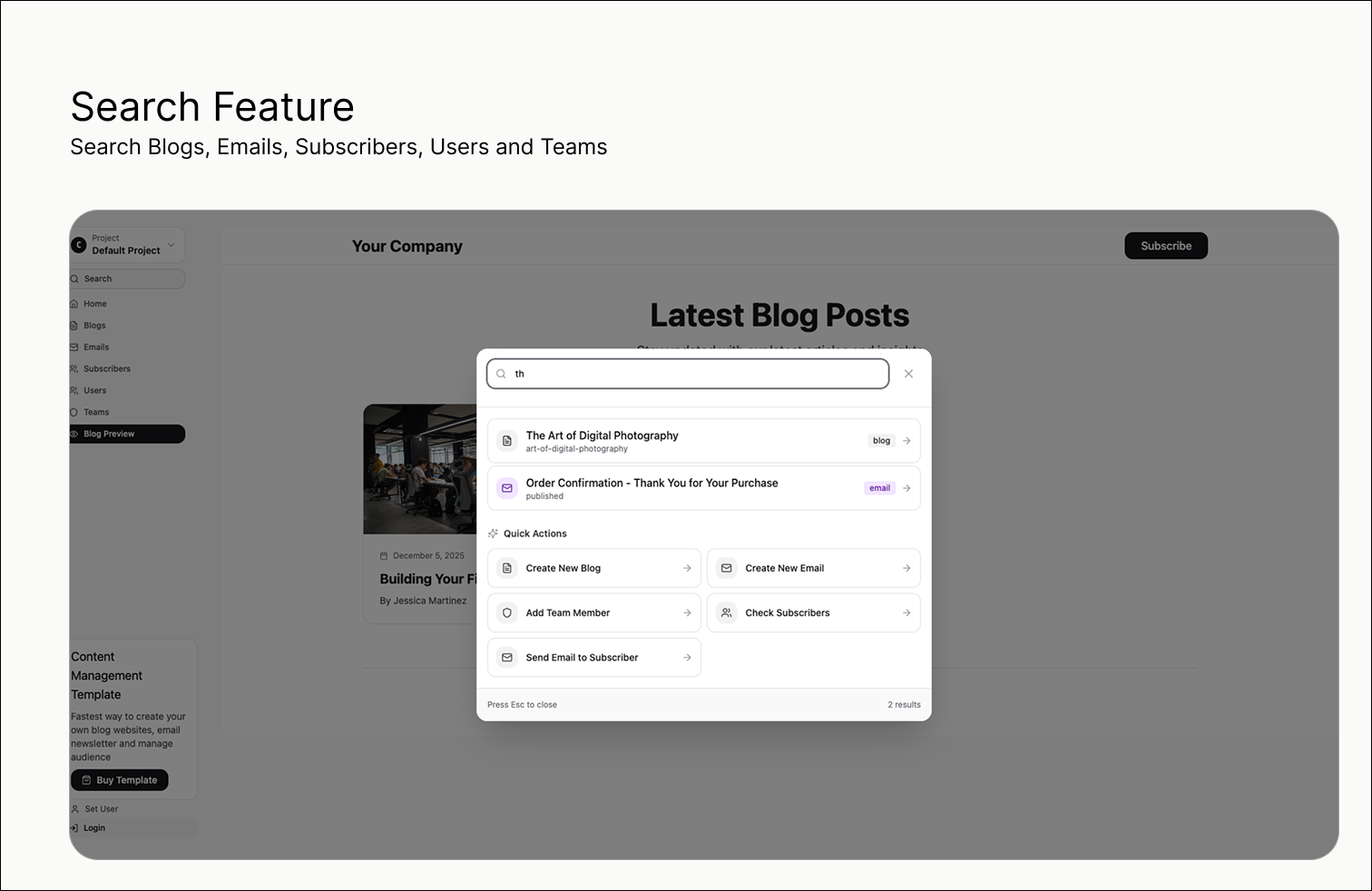
Global Search
Quickly find blogs, emails, and content across your entire CMS.
Image Upload
Upload and manage images directly in your blog posts and emails.
User Authentication
Secure login with email/password or Google OAuth integration.
Bulk Email Sending
Send emails to all subscribers or authenticated users with one click.
Customizable Settings
Configure email settings, user roles, and template preferences.
Calendar Board & Scheduling
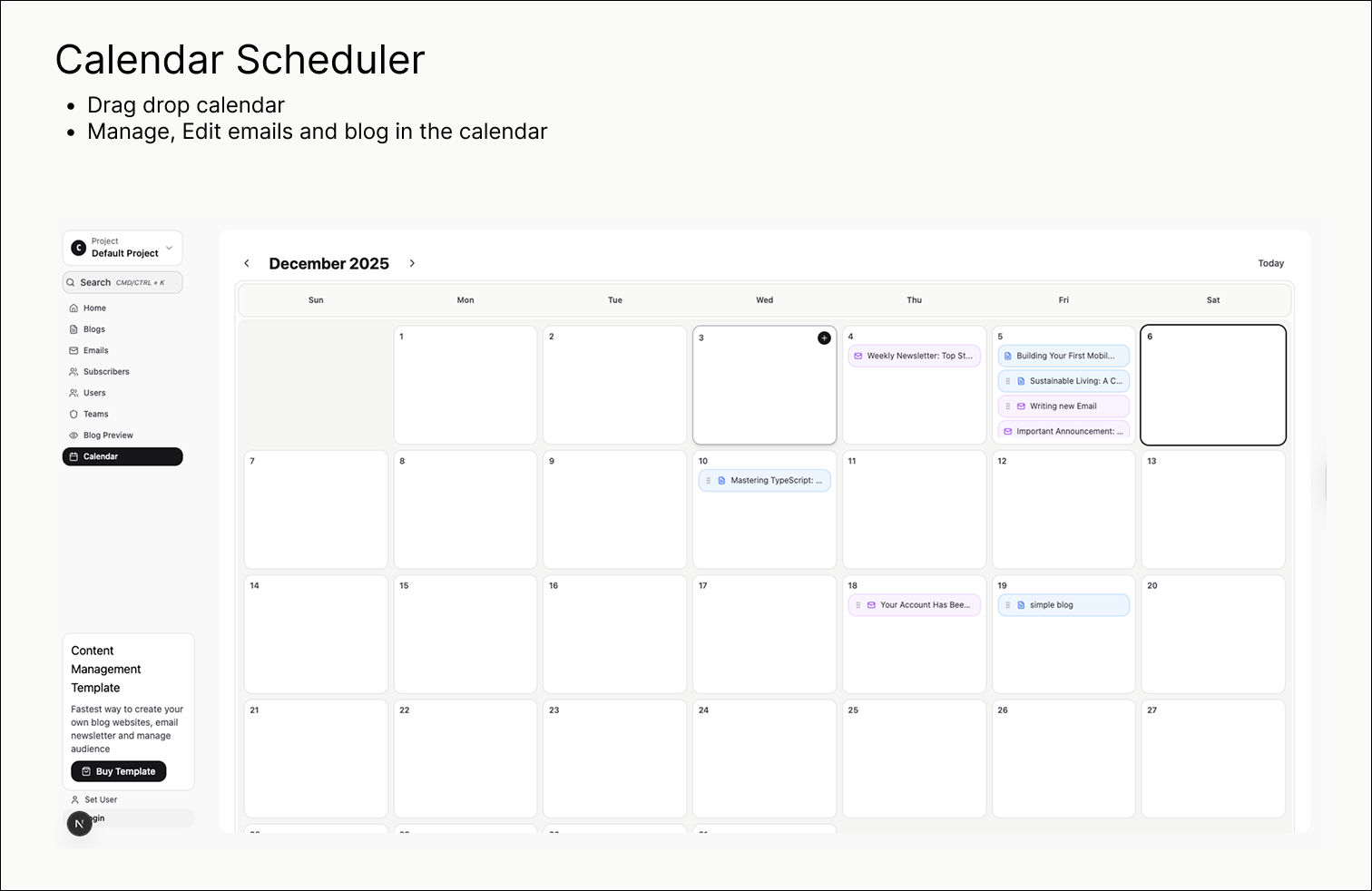
Visual calendar view with drag-and-drop scheduling for blogs and emails. Organize and reschedule content with ease.
How to Use
1Setup Firebase
Create a Firebase project and configure Firestore, Authentication, and Storage. Add your Firebase credentials to the environment variables.
2Install Dependencies
Run npm install to install all required packages and dependencies.
3Configure Environment Variables
Set up your .env.local file with Firebase credentials, Resend API key, and other necessary configuration.
4Run Development Server
Start the development server with npm run dev and access the CMS at /contento route.
5Customize & Deploy
Customize the design, add your content, and deploy to Vercel, Netlify, or your preferred hosting platform.
Repository Architecture
File & Folder Structure
Technical Details
APIs & API Routes
The template uses Next.js API routes located in pages/api/ directory. These serverless functions handle email sending, data operations, and server-side logic. The API routes are organized by functionality (emails, blogs, users) and provide secure endpoints for client-side components to interact with backend services.
Firebase Authentication
Firebase Authentication is integrated inside the lib/ui/LoginModal.jsx component. It supports email/password authentication and Google OAuth sign-in. The authentication state is managed globally and persists across page reloads, with role-based access control integrated into the user management system.
Resend for Email Sending
Resend API is used for sending transactional emails and newsletters. The integration is implemented in pages/api/emails/ directory with endpoints for sending single emails, bulk emails to subscribers, and emails to authenticated users. You'll need to configure your Resend API key in environment variables.
React Toast for Notifications
React Toast (react-hot-toast) is used throughout the application for displaying user-friendly notifications. It provides success, error, and loading toast messages for actions like saving content, sending emails, updating user roles, and other user interactions. The toast system is lightweight and provides smooth animations.
Tiptap Editor for Content Writing
Tiptap is a headless rich text editor framework used for writing and editing blog posts and email content. The editor component is located in app/contento/components/TiptapEditor.jsx and provides features like formatting, lists, links, images, and more. It's integrated into both the blog and email editor pages.
Firestore as Database
Cloud Firestore is used as the primary NoSQL database for storing all application data including blogs, emails, subscribers, users, and team information. The Firestore integration is handled through API functions in lib/api/ directory, providing real-time data synchronization and efficient querying capabilities for the CMS.
Calendar Board with Drag & Drop
The calendar board feature uses @dnd-kit library for drag-and-drop functionality. Located in app/contento/components/CalendarTab.jsx, it provides a visual calendar interface where users can schedule blogs and emails by dragging them between dates. Only draft and scheduled items can be moved, while published content remains fixed in place.
Who This Template Is For
- •Developers & Agencies looking to quickly build a CMS for clients without starting from scratch
- •Content Creators & Bloggers who want a professional content management system for their blog and newsletter
- •Small Businesses & Startups needing an affordable CMS solution to manage their content and email marketing
- •Marketing Teams who want to manage blogs, newsletters, and subscriber lists in one centralized platform
- •SaaS Companies looking to add a CMS module to their existing product or build a content platform
- •Freelancers & Consultants who need a customizable CMS template to deliver projects faster and more efficiently
Frequently Asked Questions
What is Contento CMS?
Contento is a modern, full-featured content management system template built with Next.js and Firebase. It provides everything you need to manage blogs, newsletters, subscribers, and team members in one place.
What technologies does it use?
Contento is built with Next.js 15, React 18, Firebase (Firestore & Auth), Tiptap rich text editor, Tailwind CSS, Framer Motion for smooth animations, and @dnd-kit for drag-and-drop calendar scheduling.
Do I need to know coding to use this?
Basic knowledge of JavaScript and React is helpful, but the template is well-documented and includes all necessary setup instructions. You can customize it to match your brand.
Can I use my own Firebase project?
Yes! The template includes instructions for setting up your own Firebase project with Firestore, Authentication, and Storage configured.
Is the template mobile responsive?
Absolutely! Contento is fully responsive and works seamlessly on desktop, tablet, and mobile devices with a beautiful mobile sidebar navigation.
Can I customize the design?
Yes, the entire design is built with Tailwind CSS, making it easy to customize colors, fonts, spacing, and layouts to match your brand identity.
Does it include email sending functionality?
Yes, the template includes integration with Resend API for sending transactional emails. You'll need to set up your own Resend account and API key.
What support is included?
The template includes comprehensive documentation, code comments, and a clean, maintainable codebase. For additional support, check the template documentation.
Ready to Get Started?
Get the complete Contento CMS template with full source code, documentation, and lifetime updates.
Get Template